Step 5 - Editor
Step 5: Editor
Section titled “Step 5: Editor”The Editor step is where you arrange clips, add overlays, and export the final video.
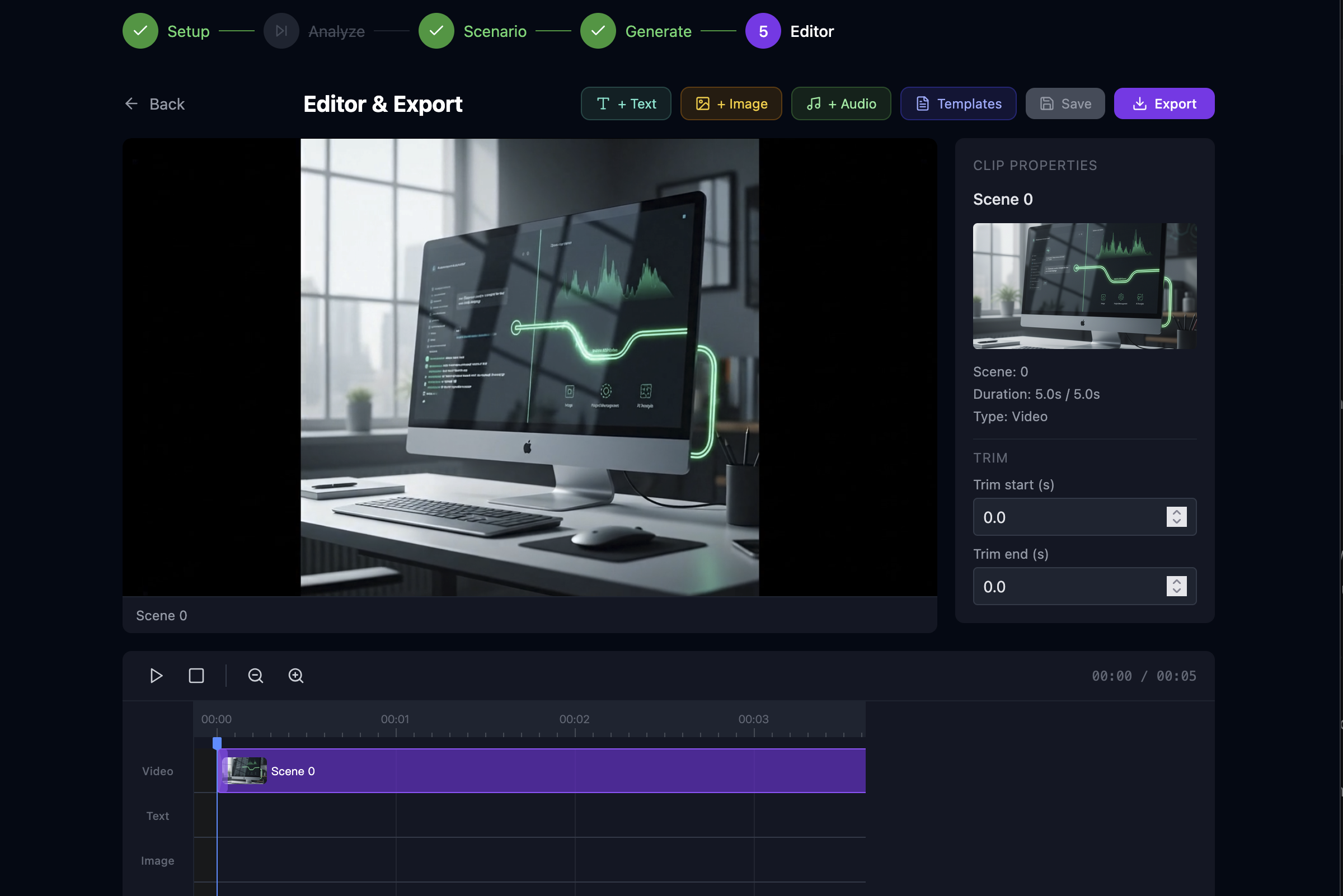
Timeline
Section titled “Timeline”- Video track — One clip per generated scene. You can trim (trim start/end), reorder, and set transition and transition duration to the next clip (cut, fade, dissolve, wipe, slide).
- Text track — Text overlays with in/out time and styling (font size, color, position).
- Image track — Image overlays from project assets (e.g. logo). Each overlay has position, size, opacity, rotation.
- Audio track — Optional work-level audio (uploaded to the work; volume in editor).
Overlays
Section titled “Overlays”- Text overlays — Add a text item, set content and timing; in the properties panel set font size, color, and position (e.g. centerX, centerY).
- Image overlays — “+ Image” opens the Asset Picker (project assets). Choose an asset, then set position, width, height, opacity, rotation in the properties panel. Preview and export render these from the same asset URLs (resolved with auth).
Templates
Section titled “Templates”The Templates panel lets you:
- Save current as template — Store current text + image overlays (and optional export settings) as a project-level template with relative timing.
- Apply template — Add a template’s overlays to the current timeline. You can scale timing by video duration and use placeholders (e.g.
{{product_name}}).
See Templates.
Preview
Section titled “Preview”Preview renders at export resolution (from export settings). Text and image overlays use the same layout as in export so preview matches the final video.
Export
Section titled “Export”- Set Export settings (width, height, fps) if needed.
- Click Export. The frontend sends an ExportRequest (clips, texts, images, audio, options) to
POST /api/export. The backend uses FFmpeg to composite video, transitions, text overlays, image overlays, and audio into one MP4 and returns it for download.
Saving
Section titled “Saving”- Save (or ⌘/Ctrl+S) persists the current editor state (timeline, overlays, audio, export settings) to the work. Any change marks the editor dirty until saved.
- Editor state is loaded from the work when you open the step so refreshes don’t lose edits.